

Pet Camera Privacy: Local Storage vs the Cloud
A pet camera points at the most private room in your home, runs all day, and — on many models — uploads everything to a server you do not control. Before you buy, it is worth asking the only question the marketing avoids: who can see this footage, and where does it live?
Privacy is not a fringe concern for a device whose entire job is watching your living room. It is the central design decision. The split that matters most is local storage versus cloud storage — and the two are not just different features, they are different philosophies about who owns your home.
Do pet cameras record to the cloud by default?
Many do — and not always obviously. A camera may advertise "free live view" while silently requiring a plan to keep any history, or it may upload continuously to a vendor server the moment it is plugged in. The footage then lives on infrastructure you have no real control over: subject to the company's retention policy, its security, and its business decisions.
A pet camera without cloud dependency keeps the recording on a card or a drive in your home. You decide what is kept, for how long, and whether anything ever leaves the house. For a device watching your sofa, that is the safer default.
Local storage: what it actually means
Local-first recording stores video on physical media you own — typically a microSD card in the camera, or a drive on your network. The camera still streams to your phone when you check in, but the archive stays put.
| Local storage | Cloud storage | |
|---|---|---|
| Who holds the footage | You (a card or drive in your home) | The vendor's servers |
| Works without internet? | Yes, recording continues | No — usually stops or caches |
| Ongoing cost | None (you own the media) | Usually a monthly plan |
| Risk if vendor shuts down | Footage is unaffected | History can vanish overnight |
| Remote access | Via your own app/login | Via vendor's service |
None of this makes cloud evil. Cloud is genuinely useful for accessing months of history from anywhere, and for sharing clips. The problem is mandatory cloud — when the device refuses to keep anything unless you pay, and the footage is hostage to a subscription you may forget you signed up for.
The rule we build to
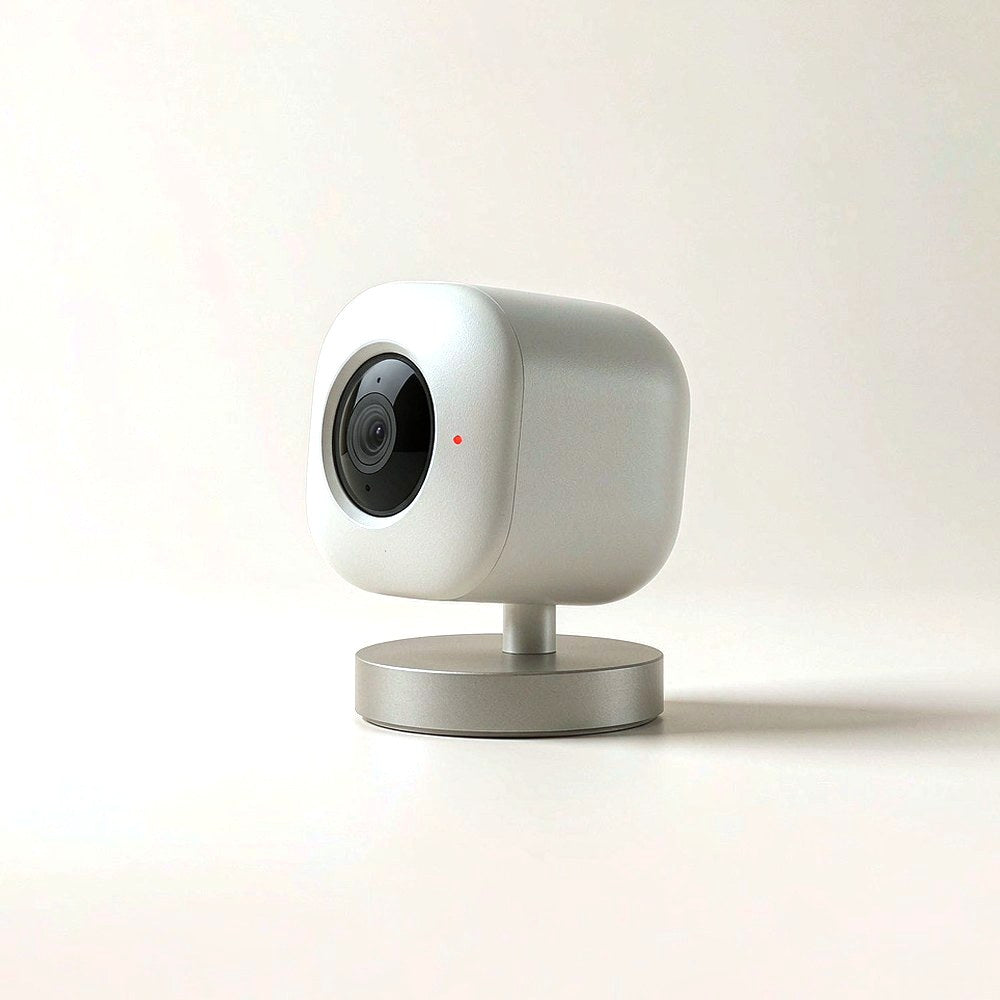
Recording should live with you first. The Zaverni Eye Cam records to local storage and lets you check in from your phone — cloud is an option you choose, never a toll you must pay to see your own living room.
Indoor pet camera privacy: the questions to ask
When evaluating any indoor pet camera privacy posture, run down this short list:
- Where is the video stored by default? If the answer is "our servers" and there is no local option, that is a design choice, not a limitation.
- Is history behind a paywall? A free live view with paid recording is a camera that only half works without a fee.
- Who can access it? Employees? Third-party processors? A clear privacy policy names them; a vague one hides them.
- What happens if the company closes? With cloud-only devices, your history can disappear. With local, it sits on your card regardless.
- Can the camera be physically covered or pointed away? You should be able to decide when it watches.
- Does it encrypt? Both in transit (to your phone) and at rest (on the card) matters.
Why "no subscription" is a privacy feature, not just a saving
People frame subscriptions as a cost issue. They are also a pet camera no subscription privacy issue. Every monthly plan is a standing relationship with a server that holds footage of your home. Removing the plan removes the exposure — no recurring permission, no quiet data retention, no bill that, if lapsed, suddenly degrades a device you already bought.
This is the same principle behind the rest of a calm smart home. A feeder that gates meals behind a plan, a tracker that locks locating behind a tier, a camera that hides history behind a fee — each one trades your own data and your own hardware for a recurring charge. Local-first design refuses that trade.
One quiet app, your data
Checking in on the cat, reviewing the last clip, glancing at the feeder — all of it belongs in one quiet app that talks to devices you own. At Zaverni we keep the core local and free, and we treat your footage as yours, not ours.
A sensible setup
You do not have to choose absolutism. A practical, privacy-respecting setup looks like this:
- Record locally by default. Keep the archive on a card or drive you control.
- Encrypt and rotate. Let old clips overwrite automatically so the card does not become an indefinite tape of your life.
- Opt into cloud only for what you value — a short shared clip to a vet, or a week of remote history when you travel.
- Review the permissions yearly. Apps accumulate access; prune them.
This gives you the reassurance of checking in without handing your living room to a server by default.
What "encrypted" should actually mean
Encryption comes up in every privacy conversation and is often used loosely. For a pet camera, two kinds matter. In transit means the stream from the camera to your phone is scrambled so it cannot be read on the way. At rest means the footage on the card or drive is scrambled so that someone who takes the card cannot simply watch it.
Many cameras do the first and skip the second. If that matters to you — and for a device pointing at your living room it should — look for a model that states both, and that lets you set a passphrase you control rather than one baked into the firmware.
Sharing a clip without leaking your home
Sooner or later you will want to show a clip to a vet, a partner, or a sitter. The safe habit is to export the specific clip and share the file, rather than handing over account access. A shared login is a shared view of everything the camera has ever seen; a single clip is a single moment.
If a camera only offers sharing by inviting another user to the account, treat that as a design limitation and plan around it — export first, invite last, and remove access when the need passes.
Guest access and multi-user accounts
Households with a sitter or a dog walker need temporary access, and this is where privacy quietly erodes. Check whether the app supports a guest role with a time limit, or whether the only option is full access that someone must remember to revoke. The best design gives a short-lived permission you can withdraw in one tap. If you cannot find that, set a calendar reminder to remove access the day the sitter leaves — a small habit that keeps a private room private.
None of this is about paranoia. It is about treating the camera as what it is: a window into your home that should open only for the people you choose, for as long as you choose.
Frequently asked questions
Do pet cameras record to the cloud automatically?
Many do, and not always obviously — some require a plan just to keep any history. A local-first camera records to a card or drive you own and only sends video when you actively check in, keeping the footage under your control by default.
Is local storage safe if the internet goes down?
Yes. Local recording continues without the internet, because the archive lives in your home. Cloud-dependent cameras typically stop keeping history or only cache briefly when the connection drops.
Do I need a subscription to use a pet camera?
You should not need one for the basics. Live view and local recording should work with no plan. Treat any camera that hides history or core features behind a mandatory monthly fee as a privacy and cost red flag.
What happens to my footage if the company shuts down?
With a cloud-only device, your history can disappear with the service. With local storage, the recordings sit on your own card or drive and are unaffected by the vendor's fate. That resilience is a quiet advantage of local-first design.
How should I keep the camera private at home?
Record locally by default, encrypt and auto-rotate clips so the card does not become an endless tape, and opt into cloud only for specific needs like sharing a clip with a vet. Review app permissions yearly and choose a model you can physically cover or reposition.
Your living room stays yours
The Zaverni Eye Cam records locally first, checks in from your phone, and never puts your footage behind a paywall. Cloud is your choice, not a toll.
See the Eye Cam →Zaverni Journal · Smart pet tech, designed for the home you share. This guide is editorial content about privacy design, not legal advice. Review the privacy policy of any device before purchase.